
Blog
Understanding RefMe: The Best APA, MLA, and Harvard Reference Generator & Citation App for Android

Introduction to RefMe and Its Features
RefMe is an innovative and powerful citation and reference management tool that simplifies the process of generating accurate citations and managing bibliographies. Available as both a mobile app and a web platform, RefMe serves as an essential tool for students, researchers, and professionals who need to manage citations quickly and efficiently.
Whether you’re working on a research paper, writing an essay, or creating a reference list, RefMe has got you covered. With its wide range of supported citation styles, including APA, MLA, Chicago, Harvard, Vancouver, and more, it offers an intuitive solution for automating the citation process.
Expert Systematic Review Writing Services
Get professional help with your systematic literature review! Our experts at Systematic Literature Reviews provide comprehensive, well-researched, and expertly written reviews tailored to your needs. Contact us today for top-tier service.
What is RefMe and How Does It Work?
- RefMe is a citation management tool that automates the process of creating citations for a variety of sources, including books, journals, websites, and more.
- Multi-platform functionality allows users to access RefMe via mobile (iOS and Android), desktop, and browser extensions. This flexibility ensures that users can generate and organize citations no matter where they are or what device they’re using.
- Web platform integration allows users to seamlessly sync their data across multiple platforms, ensuring that they can keep track of their citations and bibliography at all times.
- RefMe’s barcode scanning feature allows users to easily scan book and journal barcodes, automatically generating citations by retrieving detailed bibliographic information such as ISBN, DOI, or URLs.
Key Features of RefMe: A Powerful Citation Tool
- Citation Styles: RefMe supports a broad range of citation styles, including APA, MLA, Chicago, Harvard, and Vancouver, ensuring that users can format their citations according to the specific requirements of their assignment or publication.
- Intuitive Interface: The app’s user-friendly design makes the citation process straightforward. Even first-time users can quickly create citations without facing a steep learning curve.
- Automatic Citation Generation: Whether you’re referencing a book, journal, or online source, RefMe lets you automatically generate in-text citations and full bibliographies, saving valuable time in the research process.
- Integration with Evernote and Mendeley: RefMe integrates with popular tools like Evernote and Mendeley, enabling you to organize your references and seamlessly incorporate them into your academic work.
RefMe’s Award-Winning Mobile App for Efficient Citation Management
- RefMe mobile app is available on both iOS and Android, ensuring compatibility across devices.
- Browser extensions for Google Chrome, Safari, and WebClipper allow users to add citations directly from the web, making it easier to cite online sources and research papers.
- The RefMe app offers the ability to sync your references across devices, ensuring you never lose track of your citations or bibliography, whether you’re using your smartphone, tablet, or desktop computer.
- RefMe lets users export their citations in various formats, such as PDF, Word, or directly to citation management platforms like Mendeley or Evernote, simplifying the reference list creation.
- With the ability to scan journal barcodes and generate citations instantly, the RefMe app streamlines the entire citation process from start to finish.
RefMe is a powerful tool for automating citations, managing references, and organizing bibliographies, helping users keep their research process efficient and accurate. Whether you’re a student working on an essay or a researcher managing multiple publications, RefMe is a versatile and reliable platform for all your citation needs.
How to Use RefMe for Efficient Referencing
RefMe is a multi-platform tool designed to simplify the process of creating citations for various referencing styles, including APA, MLA, and Harvard. Whether you’re a student, researcher, or professional, RefMe makes referencing efficient and stress-free by automating the citation process. Here’s a step-by-step guide on how to use RefMe for efficient referencing.
Step-by-Step Guide to Citing in APA, MLA, and Harvard Referencing Styles with RefMe
- Create an Account on RefMe.com: Visit refme.com to set up an account, or simply download the RefMe app on your iPad, Android, or iOS device.
- Select Your Citation Style: Choose from a wide range of citation styles including APA, MLA, and Harvard. RefMe supports a variety of academic and professional citation styles, making it suitable for all your referencing needs.
- Add Your Source: Whether you’re citing a book, journal article, or website, RefMe allows you to enter your source manually or use features like barcode scanning or URL import to grab the citation details.
- RefMe’s Algorithm: The RefMe algorithm automatically generates accurate citations by pulling essential information such as DOI, ISBN, or publication details directly from your source.
- Generate Your Citation: Once the source is added, RefMe will automatically generate the citation in the selected style. It will format the citation correctly, so you can easily insert it into your document.
- Create Your Bibliography: As you add more sources, RefMe will build your entire bibliography automatically. You can export this bibliography to various formats, including PDF or Word, or sync it with other reference management tools like Mendeley or Evernote.
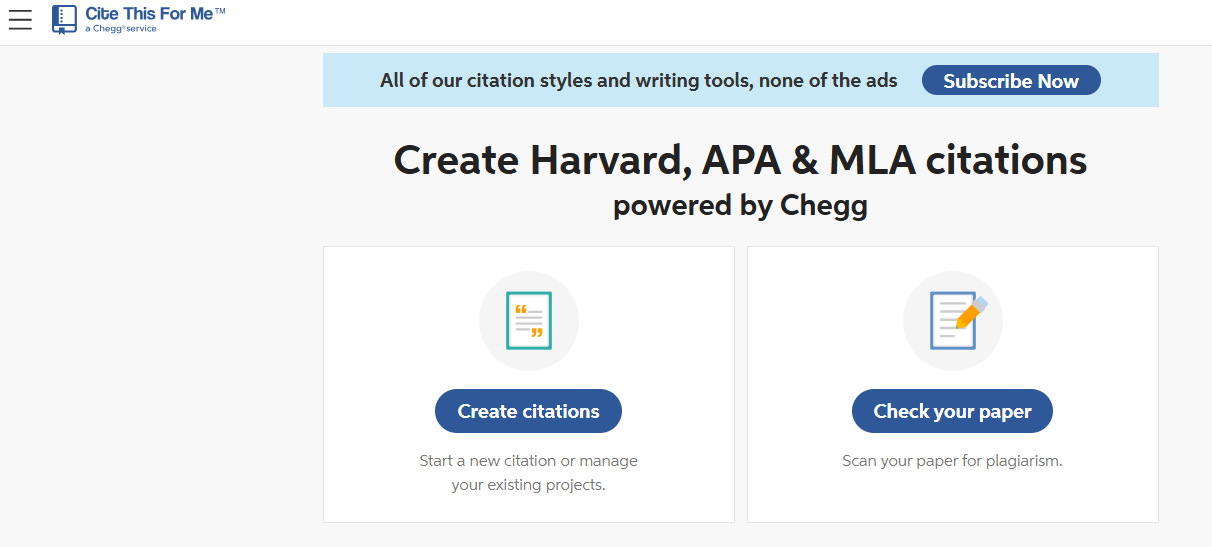
How RefMe’s Reference Generator Makes Citing Fast and Easy
- Multi-Platform Tool: RefMe is compatible with both iOS and Android, so you can access it on your smartphone or tablet while on the go.
- Instant Citation Creation: By using the safari extension or browser plugin, you can quickly generate citations for web-based resources. This is especially helpful when gathering sources from platforms like Chegg or refme.com.
- Personalize Your References: RefMe allows you to personalize your citations if needed, adjusting minor details for accuracy without worrying about formatting.
- Ability to Export: Once your citations are generated, RefMe gives you the ability to export them in multiple formats, making it easy to include in your research paper, essay, or project.
Using RefMe’s Mobile App for On-the-Go Citation Needs
- RefMe’s mobile app ensures that you can manage your citations wherever you are. Whether you’re in a café, library, or on a bus, RefMe keeps track of all your sources and references in real-time.
- Award-Winning Design: The RefMe mobile app is known for its intuitive and easy-to-use interface, making citation management a breeze. It is an award-winning tool for entrepreneurs and academics alike.
- Accessing via iPad or Android: Whether you use iPad or Android, the app is compatible with both platforms, giving you flexibility to work across devices.
RefMe is a fast and reliable solution for efficient referencing. Whether you’re citing articles, books, or websites, this tool eliminates the hassle of manual citation formatting, saving you time and ensuring accuracy in your references.
Comparing RefMe to Other Citation Tools
RefMe stands out as one of the most efficient and versatile citation tools available today, offering a range of features that simplify the referencing process. When comparing RefMe to other citation tools, it’s important to consider factors like ease of use, citation style compatibility, and platform availability. Let’s take a deeper dive into how RefMe compares to popular alternatives like CiteThisForMe, Chegg’s citation tools, and other citation apps such as Citationsy and Zotero.
RefMe vs CiteThisForMe: Which One Should You Choose?
- Citation Styles: Both RefMe and CiteThisForMe support a wide variety of citation styles, including Harvard, APA, MLA, and more. However, RefMe offers a more user-friendly interface and provides features that are easier to navigate, making it a preferred choice for both beginners and advanced users.
- Platform Availability: RefMe is a multi-platform tool, offering both iOS and Android mobile apps and browser extensions, whereas CiteThisForMe primarily offers web-based tools with limited mobile access. This flexibility allows RefMe users to generate citations on-the-go, ensuring greater convenience.
- Ease of Use: With RefMe, you can generate citations quickly using its barcode scanning feature and auto-fill from URLs, making the citation process faster and more accurate. In contrast, CiteThisForMe lacks such advanced features and is slightly more manual, requiring more input for each citation.
Why RefMe is the Preferred Choice Over Chegg’s Citation Tools
- Speed and Efficiency: Chegg’s citation tools are useful, but they are not as streamlined as RefMe. RefMe’s automated features, such as the ability to scan book barcodes or use URLs to generate citations instantly, significantly speed up the citation process compared to Chegg, where manual entry can be more time-consuming.
- Citation Styles: RefMe supports a wider range of citation styles, including Harvard, MLA, and APA, whereas Chegg’s tools may not always cover the more specialized or detailed citation needs. This makes RefMe a more versatile tool, especially for academic users in the United Kingdom or other regions that require specific referencing formats.
- Integration: RefMe is compatible with tools like Evernote, allowing users to sync their citations and manage them more effectively. Chegg’s citation tools, on the other hand, don’t offer the same integration or syncing capabilities across multiple platforms.
Benefits of Using RefMe Over Other Citation Apps like Citationsy and Zotero
- Award-Winning Design: RefMe has received awards for its innovative design and user experience. Its intuitive interface allows users to quickly generate and organize citations, unlike other apps such as Citationsy and Zotero, which may have a steep learning curve for new users.
- Bibliographic Management: RefMe allows users to not only create citations but also generate an entire bibliography automatically as they add sources. While Zotero and Citationsy also provide citation management, RefMe’s seamless integration with its mobile app and web platform makes it a more comprehensive solution for managing large sets of references.
- Personalization: With RefMe, you can personalize citations and export them in various formats, which isn’t as flexible in Citationsy or Zotero. RefMe allows you to export references to Google Docs, Word, and PDF, providing more options for citation integration in your workflow.
RefMe offers a combination of speed, accuracy, and ease of use that makes it a standout choice among citation tools. Whether you’re working on your dissertation, an academic paper, or a professional project, RefMe simplifies the process and ensures your citations are always correct.

